 All-in-One Messenger Hub
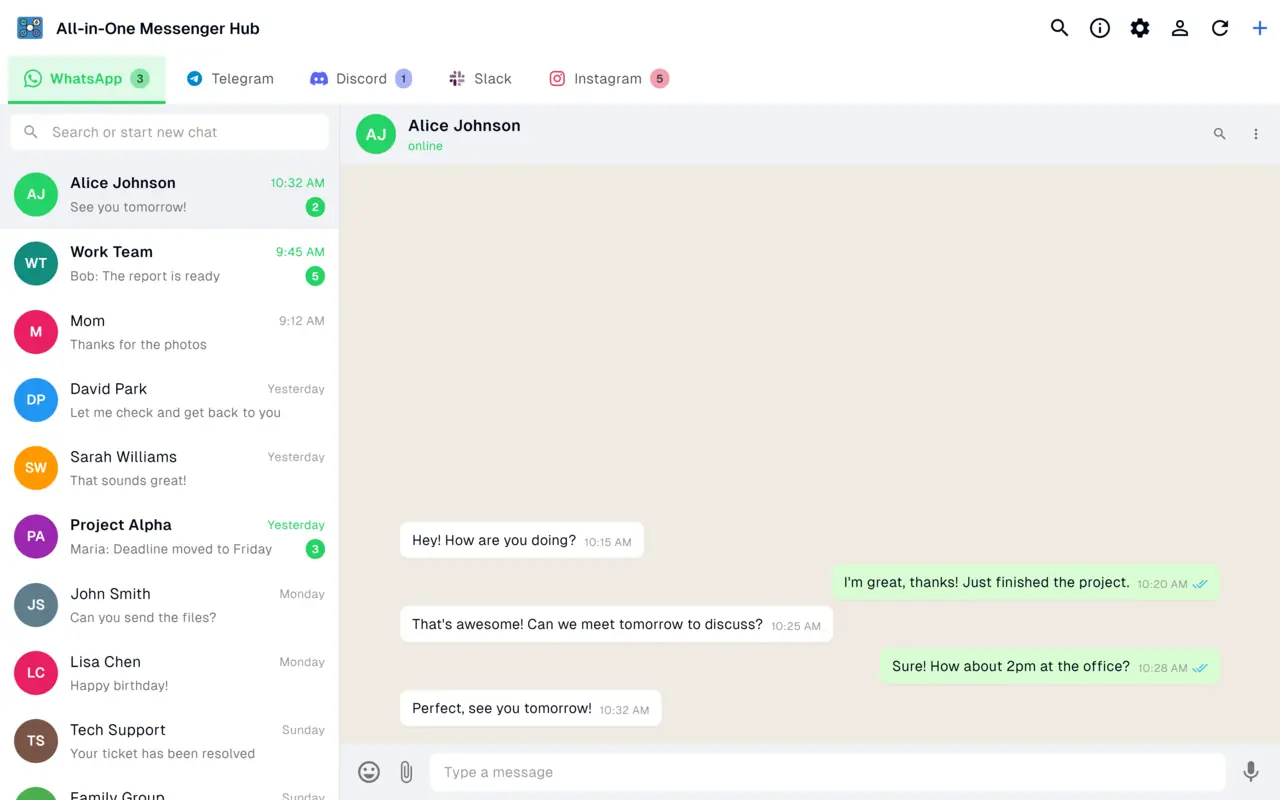
All Your Messengers in One App on Mac - WhatsApp, Telegram and Slack Side by Side
21 messaging and email services in one window on your Mac. Add as many accounts of each platform as you need - free to download.
Native macOS notifications, light and dark themes, 18 languages, and sessions that never leave your Mac.
Free to Download, Pro When You Need It
Download once and get every platform in one window. Unlock the advanced toolkit whenever you're ready.
Free to Download
Pro Toolkit
Multiple Accounts, One Window
Run several WhatsApp, Telegram or Slack accounts side by side, each in its own isolated session. Multiple accounts per platform are always free.
21 Platforms, One Window
Chat and mail services load their real web interfaces in clean tabs, organized by platform and account - no more browser tab chaos.
Native macOS Notifications
Unread badges and alerts across every account, so nothing slips - whether it's a work Slack ping or a personal WhatsApp message.
Private by Design
No message storage and no data harvesting. Every session stays on your Mac in per-account isolated storage.
Mac Version FAQ
Yes. The Mac app is free to download and use, with all 21 platforms and one account per platform. Running several accounts of the same platform, plus the WhatsApp power tools, comes with a one-time lifetime Pro upgrade rather than a subscription.
Yes - two or more. Each account runs in its own isolated session, so logins never collide. Multiple accounts per platform are always free.
Yes. It is a Developer ID-signed and notarized DMG, so macOS Gatekeeper recognizes it as trusted. Open the DMG and drag the app into your Applications folder to install.
Yes. It ships as a universal app that runs natively on Apple Silicon and Intel Macs, and requires macOS 10.15 (Catalina) or later.
No. There is no message storage and no data harvesting. Each platform loads its real web interface, and sessions stay on your Mac in per-account isolated storage.
No. The Mac app needs no sign-up at all - install it, add your first messenger, and start chatting.
Get Every Messenger on Your Mac
Free to download for macOS, with the full toolkit built in.