 All-in-One Messenger Hub
All Your Messengers in One App - Run Multiple WhatsApp, Telegram & Slack Accounts on Windows
Never switch between apps again. Bring WhatsApp, Telegram, Slack, Discord and 17 more messengers into one window - and run multiple accounts of each on your PC or Mac.
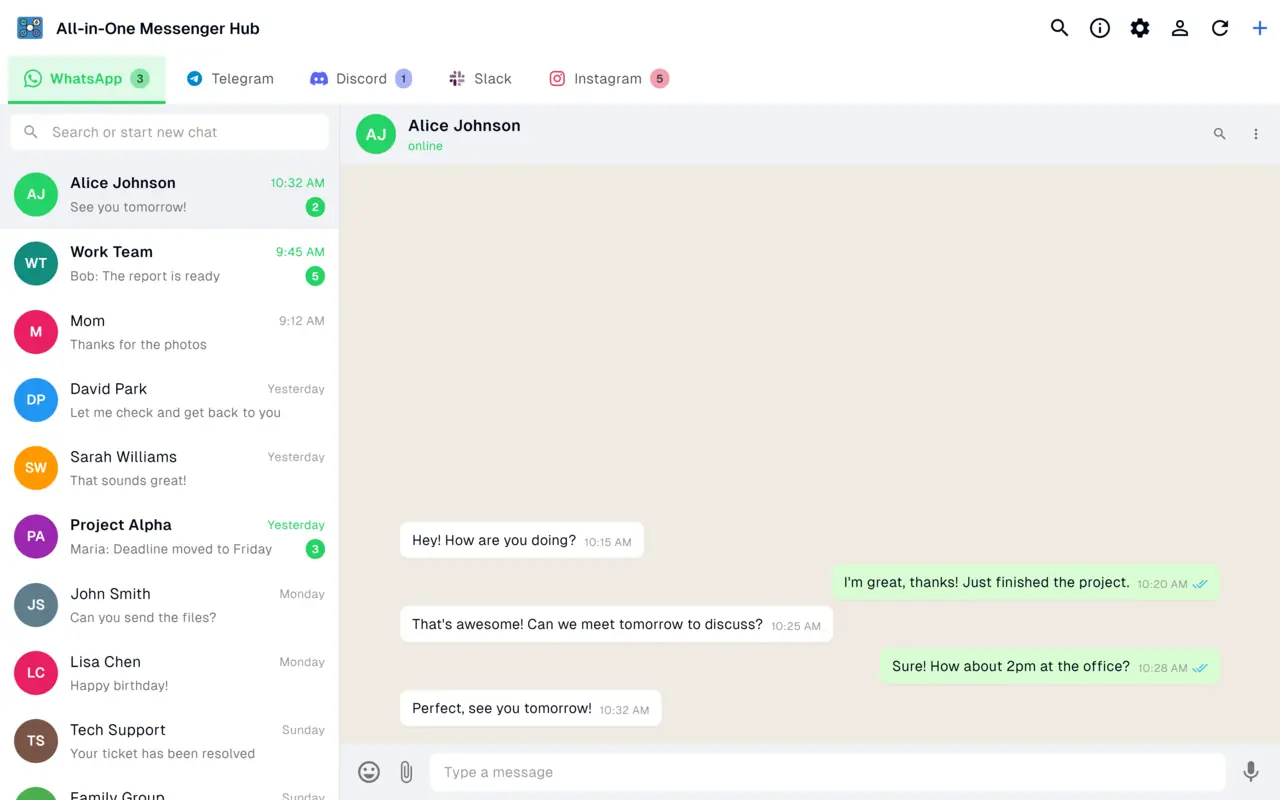
Supported Platforms
21 messaging and email services, all in one window
Facebook Messenger
Telegram
Discord
Slack
Microsoft Teams
X (Twitter)
Google Chat
Google Messages
TikTok
Snapchat
Threads
Bluesky
Notion
YouTube
Gmail & Outlook
Why Choose All-in-One Messenger Hub?
Stay organized, save time, and never miss important messages
Stay Organized
Keep all your conversations in one window, organized in clean tabs by account and platform
Save Time
Stop switching between apps. Access all your messages from a single beautiful interface with keyboard shortcuts
Stay Focused
Smart notifications and unread badges help you stay on top of important messages without distractions
Automate Responses
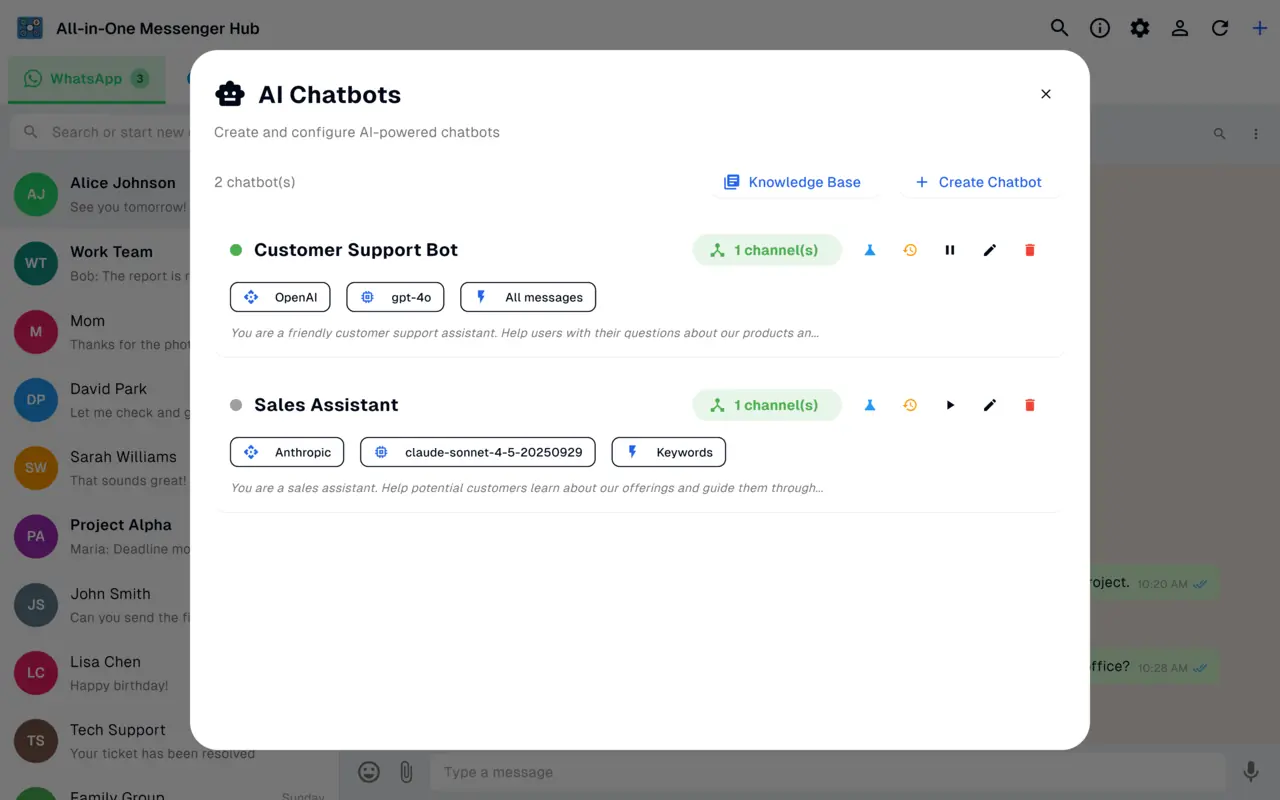
AI chatbot with knowledge bases auto-replies to your WhatsApp, Facebook and Instagram messages based on your rules
AI-Powered Automation
Create intelligent chatbots that automatically reply to your WhatsApp, Facebook and Instagram messages. Connect OpenAI, Claude, OpenRouter or a custom provider.
- ✓ Multiple AI providers (OpenAI, Claude, OpenRouter, custom)
- ✓ Smart trigger system (keywords, phone numbers, labels)
- ✓ Knowledge base for custom responses
- ✓ Activity logging and analytics
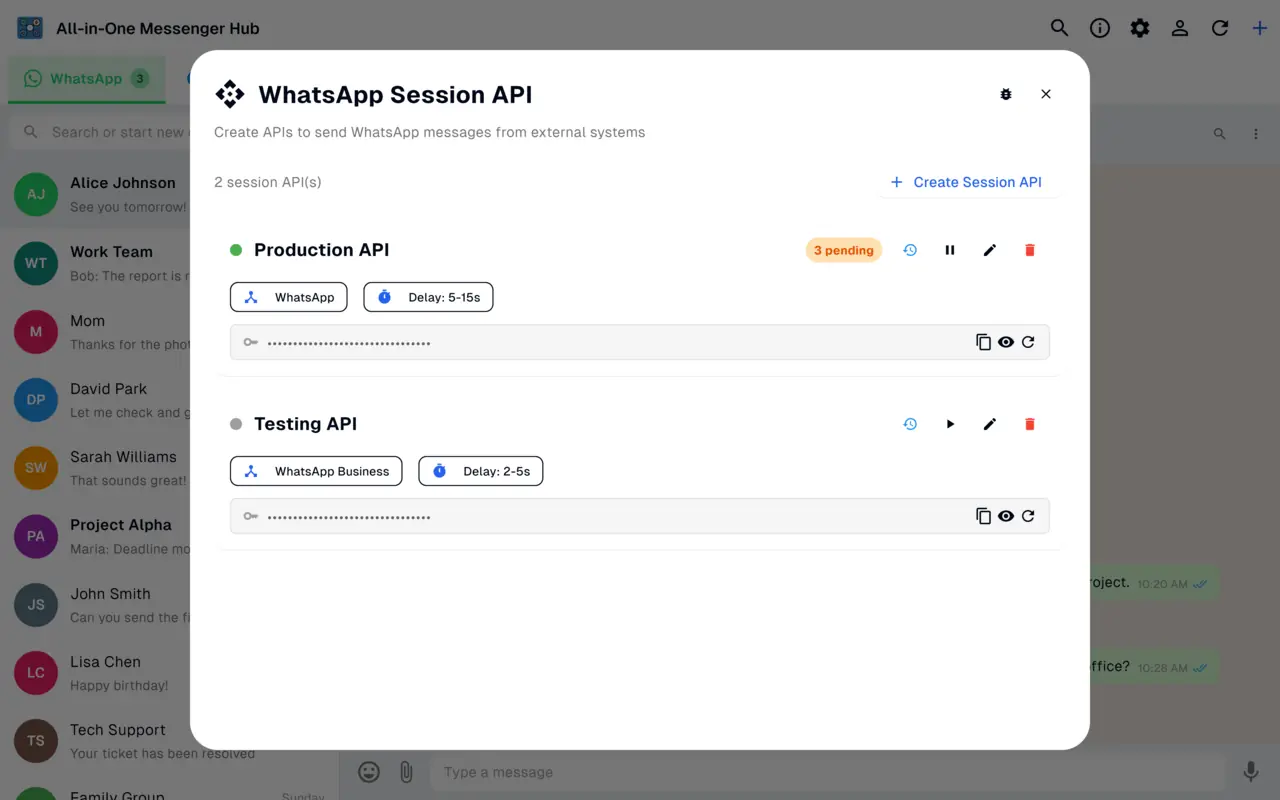
WhatsApp Power Tools
Unlock advanced WhatsApp features including contact export, auto-responses, and platform-specific automation.
- ✓ Export contacts in Excel, CSV, or JSON formats
- ✓ Automatic AI-powered responses
- ✓ Platform-specific automation
- ✓ Advanced filtering and labels
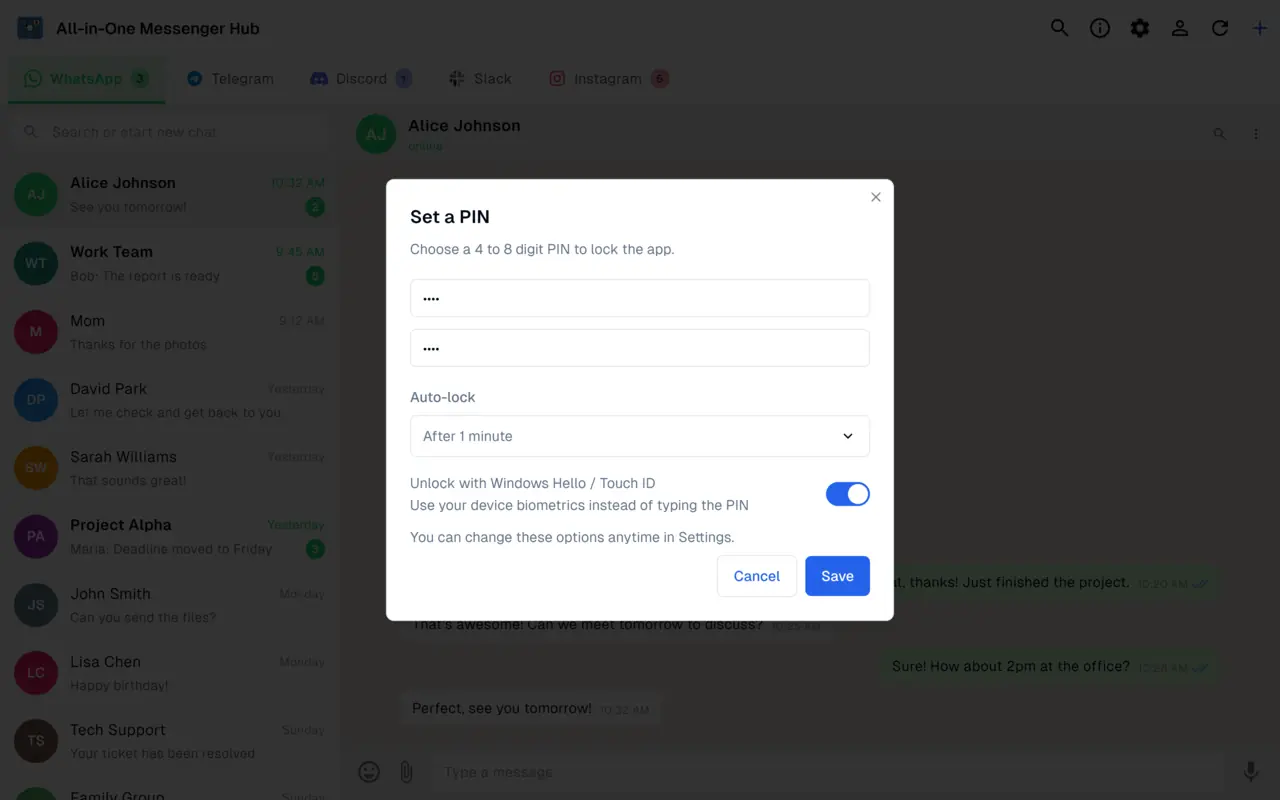
Your Sessions, Locked Down
Protect All-in-One Messenger Hub with a private PIN, biometric unlock and auto-lock. Your open messaging sessions stay private, even on a shared or unattended computer.
- ✓ Private PIN code to unlock the app
- ✓ Biometric unlock with Windows Hello
- ✓ Auto-lock after a period of inactivity
- ✓ Isolated, local storage for every account
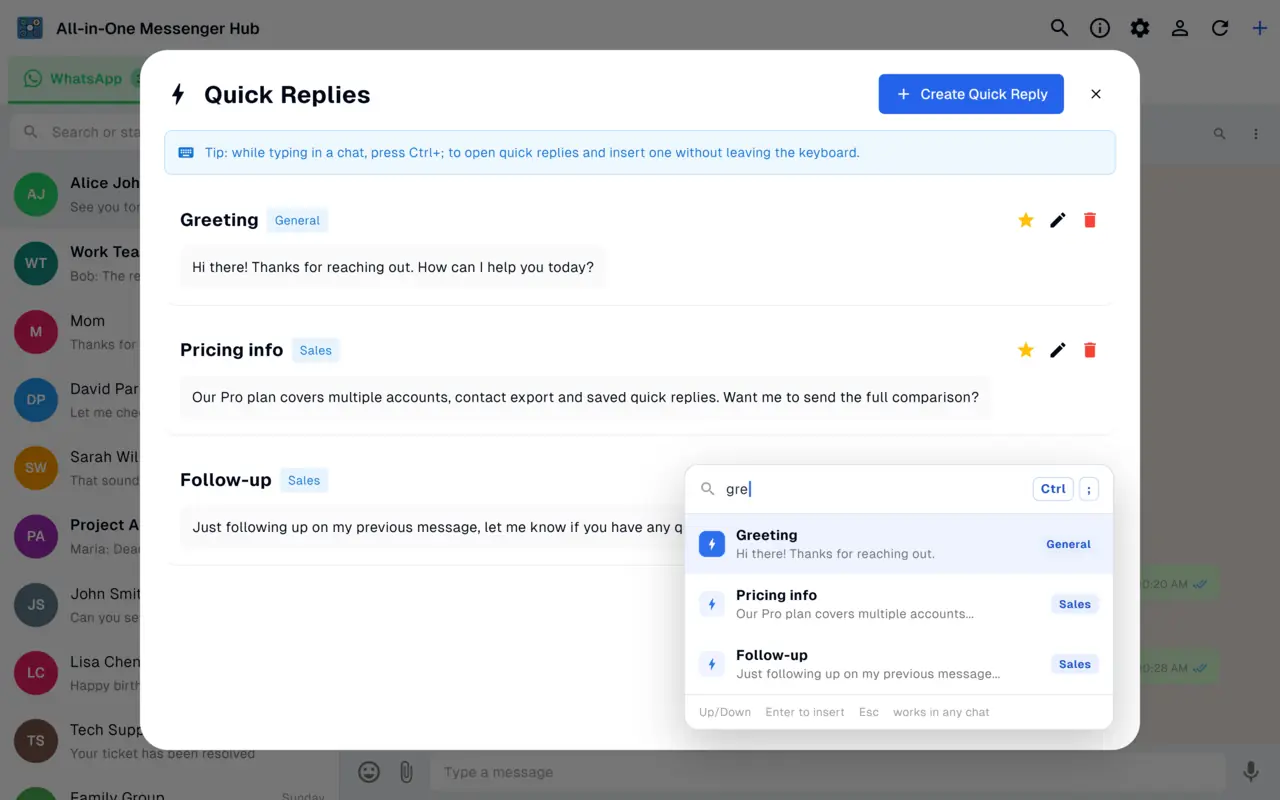
Quick Replies, Everywhere
Save your canned replies once and reuse them on every platform. Quick replies sync across all your devices and work in any chat - WhatsApp, Messenger, Telegram, Instagram and more. Press Ctrl+; while typing to drop one in instantly.
- ✓ Synced across all your devices
- ✓ Works in any chat, on any platform
- ✓ Insert instantly with Ctrl+;
- ✓ Favorites and smart ordering (Pro)
Perfect For
Who can benefit from All-in-One Messenger Hub?
Entrepreneurs
Manage customer support across all channels from one dashboard
Support Teams
Handle customer inquiries faster with AI assistance and unified responses
Social Media Managers
Monitor and respond to messages across all social platforms in one place
Remote Teams
Collaborate and communicate across multiple team channels seamlessly
Freelancers
Stay on top of client communications across all platforms without context switching
Community Managers
Manage active communities and keep conversations organized across channels
Frequently Asked Questions
Yes. All-in-One Messenger Hub lets you add several accounts of the same platform - including two or more WhatsApp accounts - each in its own isolated session. Running multiple accounts per platform is a Pro feature.
21 platforms in total, including WhatsApp, Telegram, Slack, Discord, Microsoft Teams, Instagram and Messenger, plus Gmail and Outlook - all in one window.
Yes, the app is free to download and use with one account per platform. A one-time Pro purchase unlocks multiple accounts per platform and other power features.
All-in-One Messenger Hub is available for Windows on the Microsoft Store and for macOS as a direct download. A Linux version is coming soon.
Your messaging sessions stay on your PC in isolated storage per account, and your AI provider key can be kept on your device.
Ready to Get Started?
Simplify your messaging workflow today - free to download for Windows and Mac